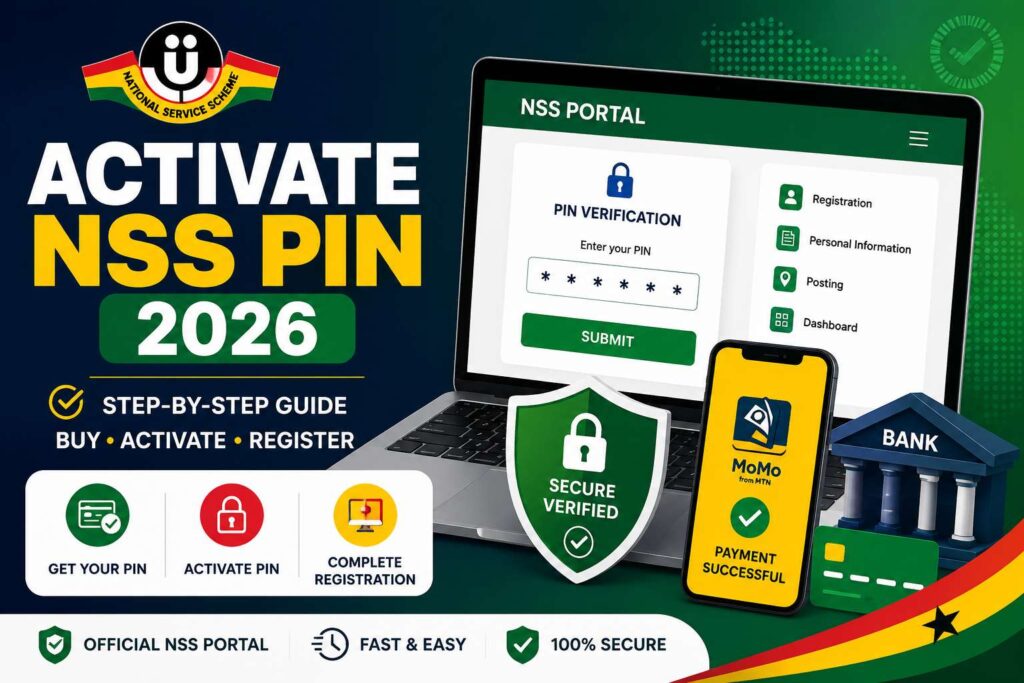
The National Service Scheme (NSS) Dashboard is the official online portal for all prospective and current national service personnel in Ghana. Through the NSS dashboard, users can register, check posting status, manage monthly evaluations, and access important service information. This guide provides everything you need to know about the NSS Dashboard Ghana in 2026—from login steps to registration and checking postings.
What is the NSS Dashboard?
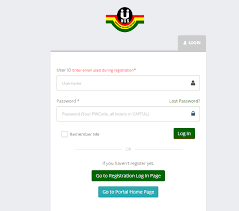
The NSS Dashboard is a secure online platform that allows national service personnel to:
- Register for national service
- Activate and manage NSS PIN codes
- Check posting and deployment status
- Print appointment letters
- Submit monthly evaluations
- Access service guidelines and news updates
When will 2026 NSS postings be released?
The timeline for the 2026/2027 National Service Year is currently in the early registration phase. Because the previous service year (2025/2026) was delayed until November 2025 due to a system audit, the 2026 schedule is roughly as follows:
1. Current Status: Registration Phase
The National Service Authority (NSA) has already begun releasing PIN codes for specific groups:
Main University Batch: The release of PIN codes for the general 2026 university graduate batch is expected between June and July 2026.
Nurses and Midwives (Minor Season): Registration for those who passed the 2025 licensing exams opened on January 19, 2026.
2. Predicted Posting Release Dates
Based on the current recovery schedule and the “Digital Reset” implemented by the NSA, here are the expected dates for the 2026/2027 placements:
| Phase | Expected Date |
| PIN Code Release (Main Batch) | June – July 2026 |
| Online Registration Deadline | August 2026 |
| First Batch Postings Release | Late September – October 2026 |
| Service Commencement | November 2, 2026 (Projected) |
How to Login to the NSS Dashboard
Follow these steps to log in successfully:
- Visit the official NSS portal: www.nss.gov.gh
- Click on “Sign In” or “Dashboard”
- Enter your NSS Number (e.g., NSSGCC123456)
- Provide your password
- Click Login to access your account
Note: If you forget your password, use the “Forgot Password” option to reset via email or phone number.
How to Register on the NSS Dashboard
Before registering, you must obtain an NSS PIN code from the NSS website or through your educational institution.
Steps for registration:
- Purchase an NSS PIN Code (usually from banks like ADB or through mobile money).
- Go to the NSS registration portal.
- Enter your PIN code, index number, and personal details.
- Upload a passport-size photo and required documents.
- Submit your form and print the registration slip.
How to Check Your NSS Posting Status
After registration and deployment processing, you can check your posting status online:
- Log in to the NSS Dashboard.
- Click on “Check Posting”.
- Enter your NSS Number.
- Your deployment details (region, institution, and role) will appear.
- Print your posting letter and take it to your assigned institution for endorsement.
What do I do after receiving my posting?
After checking your posting, you must print your appointment letter and take it to your assigned place of posting for endorsement. After the endorsement, you’ll need to book an online appointment to visit an NSS Regional Validation and Registration Centre to complete the registration process with an endorsed letter and a valid Ghana Card.
What should I do if I can’t log in? If you’re having trouble logging in, ensure you’re using the correct credentials. If you’ve forgotten your password, check if there’s a “Forgot Password” or “Reset It” option on the login page. In some cases, a suspension of the portal due to an audit or technical review may temporarily affect your ability to log in.
How do I get my monthly evaluation forms?
On the 15th of every month, a form will be available in your dashboard for you to download. This form should be assessed and signed by your head of department at your place of work.
Can I change my NSS posting?
Yes, but only under special conditions. You must apply for NSS reposting through the portal or visit the NSS regional office for assistance.
What should I do if my ID cannot be verified during registration?
If you encounter an ID verification issue, you can select the “I have another ID, Verify me at NSS Regional Office” option. You will then need to upload a picture of your ID and proceed with the rest of the registration. However, you will be required to get your ID manually verified by NSS officials at the regional office during your posting registration.
What should I do if my ID cannot be verified during registration?
If you encounter an ID verification issue, you can select the “I have another ID, Verify me at NSS Regional Office” option. You will then need to upload a picture of your ID and proceed with the rest of the registration. However, you will be required to get your ID manually verified by NSS officials at the regional office during your posting registration.
NSS Contact Details
Head Office Contact
- Address: No. 46 Patrice Lumumba Street, Airport Residential Area, Accra
- Postal Address: P. O. Box 46, State House, Accra, Ghana
- Telephone Numbers:
- 030 2772714
- 030 2775421
- 030 2769074
- Email Address:
- nssghana@yahoo.com
- info@nss.gov.gh
- Website: nss.gov.gh
Helpful Resources for Students
- Complete WAEC 2026 Guide
- Ghana WASSCE 2026 Timetable
- WASSCE Past Papers & Answers 2026
- Nov/Dec & January 2026 Results Released
- *899*550# BECE, WASSCE, And WAEC Checker
- BECE Result Portal
- Myshsadmission Portal: Guide for SHS Online Admission in Ghana
- Which university forms is still available in Ghana?
- Apply Now: 2026/2027 Nursing Training Forms Out in Ghana
GH Results is your trusted source for the latest Ghana recruitment updates, exam results, admission news, and government job alerts. For daily verified updates and complete application guides, visit the GH Results homepage.