
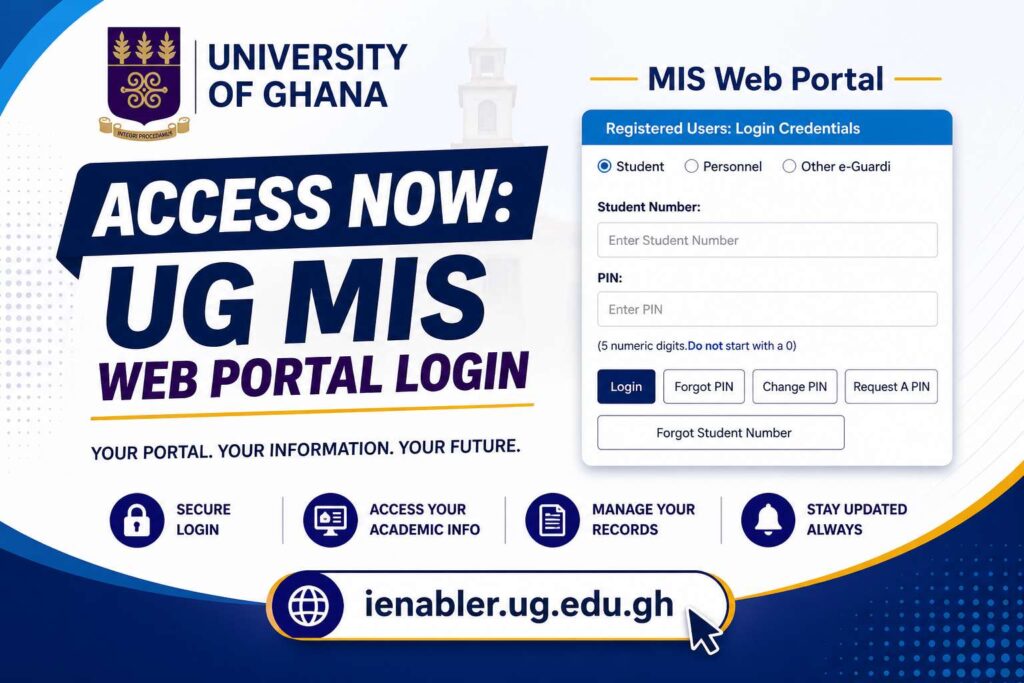
The UG MIS Web Portal is the official student information management system of the University of Ghana. It provides students with a convenient and secure way to access academic and administrative services online. Whether you are a new student or a continuing one, the UG MIS Web login is your gateway to essential resources like course registration, academic results, and fee payments.
What Is UG MIS Web?
The Management Information System (MIS) Web is an online portal designed by the University of Ghana to streamline student services. With this platform, students can manage their academic records, financial information, and personal details from one central hub.
Services Available on UG MIS Web:
- Online course registration
- Access to examination results
- Academic transcript requests
- Fee payment and billing information
- Timetable management
- Updating student profile information
What login details do I need to access the UG MIS Web?
You need two key pieces of information:
- Your UG Student ID Number.
- Your 5-digit PIN.
How to Access UG MIS Web Portal
Follow these steps carefully:
1. Visit 👉 www.ug.edu.gh
2. Click on Student or Staff
3. Select MIS Web and Choose:
- Personnel
- Student
4. Enter Login Details
- Student/Personnel Number
- PIN
5. Access the login interface.
First-Time Login Guide (Very Important)
If you are logging in for the first time, follow these steps:
Step 1: Temporary Password Sent
After login attempt:
- A temporary password will be sent to your UG email
Step 2: Check Your Email
Retrieve the temporary password
Step 3: Enter Temporary Password
Step 4: Create New Password
Your new password must:
- Include uppercase letters
- Include lowercase letters
- Include numbers
- Include special characters
- Be at least 8 characters long
- Be different from previous passwords
🔹 Step 5: Complete Login
- Click login
- Access your MIS dashboard
Subsequent Login Steps
After your first login:
- Visit UG MIS Web
- Enter student/personnel number
- Enter your created password
- Click login
How to Reset Your University of Ghana MIS Web Password
If you forget your login details:
- Go to the login page
- Click on Forgot Password
- Enter your Student ID and follow the instructions
- A password reset link will be sent to your registered email
How do I register for courses on UG MIS Web?
- Log into the portal with your student credentials
- Navigate to Course Registration
- Select the courses for your semester
- Confirm and submit your registration
- Print your registration slip for reference
The system says I have an “Invalid Serial Number or Pin” error. What’s wrong?
- Check for typos: Double-check that you have entered your Student ID and PIN correctly.
- Check for space: Ensure there are no spaces before or after your ID and PIN.
- Reset your PIN: If the issue persists, use the “Forgot PIN” function to have it resent to your email.
- Contact IT support: If you still face issues, you may need to contact the University of Ghana Computing Systems (UGCS) helpdesk for assistance.
Can I check my results on UG MIS Web?
Yes. Once you log in, navigate to the Examination Results section. You’ll be able to view and print your semester grades.
How do I pay my fees on UG MIS Web?
Login to your account, go to Student Financials or Fee Payment, generate your bill, and follow the payment instructions. Payments can be made via approved banks or mobile money integrations (if available).
I’ve paid my fees but can’t register my courses. Why?
The system often requires a delay for payments to be fully processed and reflected on your account. You can typically begin your online registration at least 48 hours after paying your fees. You must also have paid a minimum of 50% of the academic fees to be eligible for registration.
How do I change my MIS Web password?
Once you are logged into your MIS Web account, there is an option to change your password. You will need to enter your old password and then create a new one, adhering to the required security format (a combination of letters, numbers, and special characters).
Quick Links to University of Ghana
- University of Ghana (UG)
How to Fill UG Awaiting Forms Guide
UG Accommodation Portal | Apply, Check & Book Rooms Online
UG MIS Web Portal Login, Registration & Results Checking Guide
UG MIS Web Login| University of Ghana Student Portal Guide
Sakai UG Login Portal 2025: Access Legon LMS Portal Online
UG Admission Portal – Apply Online | Eligibility, & Application Form
University of Ghana Admission - University of Ghana Online Admission
- University of Ghana Application Forms
- University of Ghana Courses Offered
- University of Ghana Online Students Portal
- University of Ghana Tuition Fee
- University of Ghana Cut-off Point
- University of Ghana Undergraduate Courses
- University of Ghana Postgraduate Courses
- University of Ghana Undergraduate Admission
Who do I contact for technical support with the MIS Web?
For all technical issues related to the MIS Web, it’s best to contact the University of Ghana Computing Systems (UGCS). They have a dedicated helpdesk for student issues.
The University of Ghana Computing Systems (UGCS) provides IT support services and can be reached through their help desk. Here are their contact details:
- Phone: +233-(0)302-213820
- Email: helpdesk@ug.edu.gh or frontdesk@ug.edu.gh
For general inquiries, it’s best to use the helpdesk email or the main telephone number. For specific IT issues, such as problems with the UG MIS Web, student email, or network connectivity, they are the primary point of contact.
Thank you for visiting GHResults.com — we wish you all the best on your journey ahead, and we look forward to welcoming you back soon!
Helpful Resources for Students
- Complete WAEC 2026 Guide
- Ghana WASSCE 2026 Timetable
- WASSCE Past Papers & Answers 2026
- Nov/Dec & January 2026 Results Released
- *899*550# BECE, WASSCE, And WAEC Checker
- BECE Result Portal
- Myshsadmission Portal: Guide for SHS Online Admission in Ghana
- Which university forms is still available in Ghana?